Physical Address
304 North Cardinal St.
Dorchester Center, MA 02124
Physical Address
304 North Cardinal St.
Dorchester Center, MA 02124

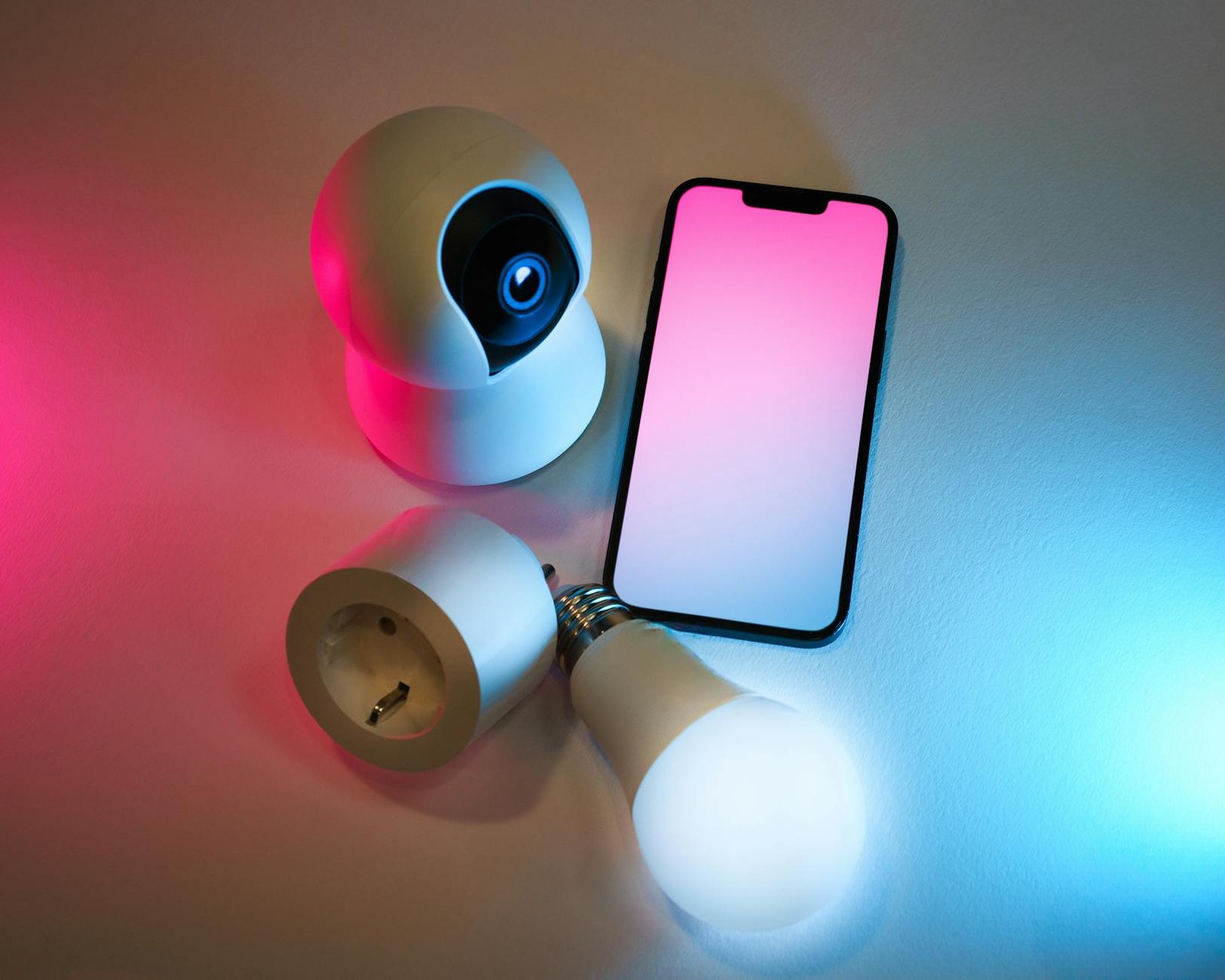
Discover the top smart home devices for energy efficiency and watch your bills drop while living in comfort!
As someone who geeks out over smart home gear, I’ve found that investing in the right devices can slash energy bills and shrink your carbon footprint without sacrificing comfort. In this ultimate guide, I’m diving into smart home devices for energy efficiency that have earned a spot in my setup. From automating lights and climate control to upgrading to connected appliances and monitoring whole-house power use, these energy-saving gadgets streamline daily routines and leave more money in your pocket each month.
Throughout this article, I’ll break down the basics of energy efficiency in smart homes, highlight my favorite picks for lighting, heating, and appliances, and share tips on getting the most out of each device. Whether you rent a cozy apartment or own a sprawling house, you’ll find practical ideas—plus links to deeper resources—so you can tailor an efficient, automated home that fits your lifestyle. Let’s jump in and make your home work smarter, not harder.
Heating, cooling, and appliance standby power account for almost 70 percent of a typical home’s utility bill. Reducing that draw not only saves cash but also lowers greenhouse gas emissions. Even small optimizations—like turning down your thermostat by a degree or running the dishwasher on an eco-cycle—add up over time.
Smart home devices let you monitor real-time power consumption, automate routines around occupancy, and respond dynamically to weather or utility rate changes. In my experience, a handful of well-placed sensors and controllers can cut your household energy use by 10–30 percent. Key benefits include:
If you’re still exploring options, check out this roundup of connected home gadgets for inspiration connected home gadgets.
I swapped out every incandescent bulb in my house for LED alternatives that I can dim, schedule, and control remotely. My top picks:
| Product | Key feature | Price range |
|---|---|---|
| Philips Hue White | App-controlled scheduling | $15–$20/bulb |
| LIFX A19 | Pure white to color mode | $40–$50/bulb |
| Sylvania Smart+ LED | Zigbee mesh support | $12–$18/bulb |
Rather than replacing every bulb, you can install smart switches or dimmer modules behind your existing fixtures. That way you get automation at the circuit level, which I’ve found cuts setup time. Popular options include:
By automating your lighting scenes and using motion triggers, you’ll reduce unnecessary runtime. For more ideas on controlling your home’s illumination, see smart home devices for lighting control.
Swapping a manual thermostat for a learning model is one of the easiest upgrades. My favorites:
| Device | Special feature | Installation |
|---|---|---|
| Google Nest Learning Thermostat | Auto-schedule learning | DIY wall-mount |
| Ecobee SmartThermostat | Remote room sensors | DIY wall-mount |
I’ve seen programmable thermostats cut HVAC costs by up to 20 percent based on usage patterns.
For multi-zone control, I installed Flair smart vents in each room. They open or close to balance airflow based on occupancy and temperature readings. Combined with door-and motion sensors, this setup keeps my living areas comfortable while conserving energy in unused zones. If remote monitoring is a priority, explore smart home devices for temperature control and smart home devices for remote monitoring.
Swapping to connected kitchen gear has been a game-changer in managing energy draw during off-peak hours. My must-haves:
| Appliance | Efficiency feature | Benefit |
|---|---|---|
| Smart refrigerator | Adaptive defrost cycle | Reduces standby power |
| Smart dishwasher | Soil-level detection | Shortens cycle when light |
| Wi-Fi oven | Remote preheat | Avoids wasted warm-up |
For a deeper dive into kitchen upgrades, check out connected kitchen appliances and our guide to best smart appliances for home.
My smart washer and dryer use load-sensing tech to adjust water volume and heat time. Similarly, robot vacuums map floors and run only when I’m away, keeping power use in check. If you’re exploring bigger shifts, take a look at iot appliances for home to see how water heaters, pool pumps, and more can join the smart-efficiency party.
One of the quickest ways to make any device smarter is adding a smart plug. These let you:
My go-to picks are TP-Link Kasa HS110 and Gosund smart plugs, both of which report energy data to their companion apps.
For a bird’s-eye view, I installed an energy monitor at my breaker box. Products like Sense and Emporia Vue connect to your electrical panel and track each circuit. With live charts and historical reports, you can identify power hogs—everything from your HVAC to that vintage turntable you forgot about.
To tie everything together, you’ll need a hub or bridge. I run a home assistant platform on a mini-computer, but popular consumer options include:
These systems let your lights, thermostat, plugs, and sensors talk to each other. If you’re assembling a cohesive setup, explore our breakdown of smart home systems and home automation products.
On the interface side, I use a combination of Alexa routines and custom dashboards. Voice commands like “Alexa, set eco mode” instantly adjust lighting, temperature, and plug schedules. Likewise, geo-fencing rules can detect when you leave home and power down non-essential devices automatically.
The real power of automation comes from well-defined routines. For instance:
I recommend starting simple and refining based on your energy reports.
Every smart device I’ve installed logs usage over time. By reviewing weekly and monthly summaries, I spot trends—like spike in HVAC use when I kept windows open. Use that data to adjust schedules, tweak sensor thresholds, or swap in more efficient models. For fresh ideas, see smart home automation ideas or browse our full smart home devices list.
Building an energy-efficient smart home is an iterative journey, and I’m still refining my setup after years of testing. Start with one upgrade—like smart bulbs or a programmable thermostat—and watch for measurable savings. Then layer in appliances, sensors, and automations at your own pace. With a mix of planning, monitoring, and a few well-chosen gadgets, your home will run more efficiently, cost less to operate, and adapt to your lifestyle seamlessly. Happy automating!
